
Stay in the sentence.
Hold your shortcut, say the thought, release. Your words appear in the text field you’re already using. No switching tabs or moving a recording to another service.
Free, offline dictation for Mac. Hold a key, speak your thought, release. Your words land right where you’re typing.
Apple Silicon · macOS 14+ · Free & open source
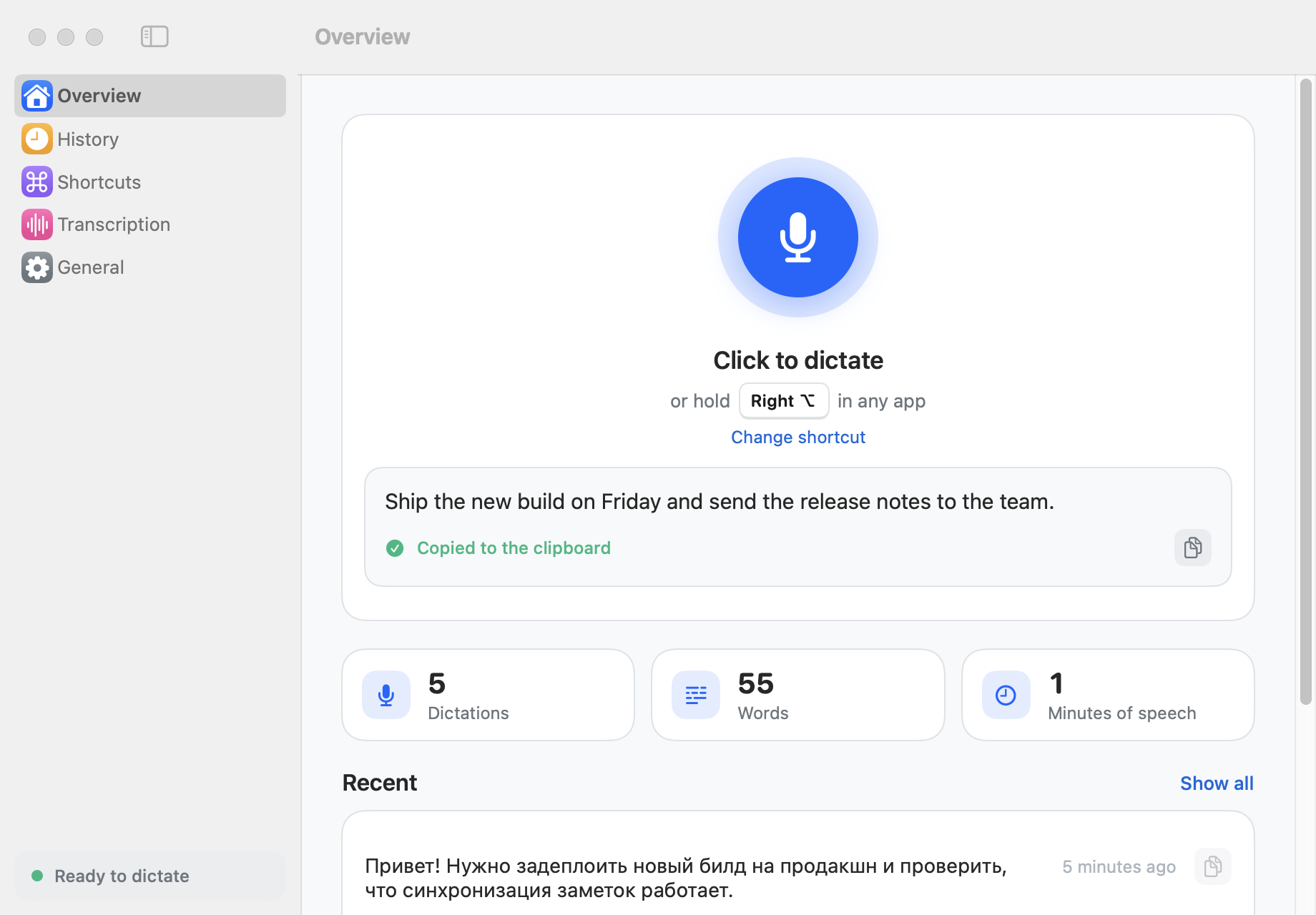
Draft an email, reply to a message or capture a thought in your editor. Keep your hands free for a moment and stay with the idea.
Hold your shortcut, say the thought, release. Your words appear in the text field you’re already using. No switching tabs or moving a recording to another service.
Whisper speech recognition runs on your Mac. Dictation audio and text stay local. Download the model once, then dictate without an internet connection.
Choose a shortcut that feels natural. Switch speech languages, add names to your vocabulary and find previous dictations in your local history.
No account to create. No subscription to start. The welcome guide walks you through permissions and your first dictation.
Open the DMG and drag Vaulto Note to Applications. Updating from 0.1.0? Quit the old app first and choose Replace.
Download DMGOpen Vaulto Note from Applications, then eject the disk image. Allow the microphone. Enable Vaulto Note in System Settings → Privacy & Security → Accessibility to insert text into other apps.
Choose your dictation key. Let the speech model finish downloading and preparing. Hold the key, speak, then release. Your text appears where the cursor is.
The DMG is about 5.5 MB. The speech model downloads separately during setup: about 1.6 GB, once. Keep an internet connection for this step and allow about 2 GB of free space. Dictation then works offline.
Release notes & file checksums ↗Apple Silicon Macs (M1 or newer) running macOS 14 Sonoma or later. Intel Macs are not supported by this release. Allow about 2 GB of free space for the recommended model; the larger optional model needs more.
Yes. The Mac app is free and open source under the MIT license. No account, subscription or cloud transcription minutes are needed. Android cloud plans are separate.
Dictation runs locally using Whisper. Audio and recognized text are not sent to a cloud transcription service. The first model download needs internet; model downloads and app update checks use the network. After setup, dictation works offline.
Microphone access lets Vaulto Note record your voice when you start dictation. Accessibility lets it detect your shortcut in other apps and paste the result into the focused text field. You can skip Accessibility and copy recognized text manually. If microphone access was denied, the permission button opens System Settings.
The app and DMG are signed with an Apple Developer ID and notarized by Apple. macOS may show its normal confirmation for an app downloaded from the internet: choose Open. Open the installed copy from Applications.
The installer is about 5.5 MB. On first setup, the recommended Large v3 Turbo speech model downloads separately (about 1.6 GB). The app shows download and preparation progress. If it fails, use Retry in the welcome guide.
Whisper supports speech recognition in about 100 languages. Use automatic detection or select a speech language. Accuracy varies by language, microphone and recording conditions; review important text.
The Mac app currently keeps dictation history and models locally. It does not sync that history with the Android notes app. The two apps serve different workflows: Mac voice typing and Android voice notes.
Version 0.1.1 checks for updates daily while running. You can also choose Check for updates from the app menu or Settings. Updates are signed and verified. If you have 0.1.0, quit it and install the new DMG once; models, history and preferences are preserved.
Built in the open. Read the Mac app’s source code ↗ · Privacy policy
A quiet little tool for the things you want to say.
Download for MacFree · Apple Silicon · macOS 14 or later